Stock
Home / Documentation /
Outlet
Item
POS
Kitchen Panel
Printer
Order Status Screen
Toppings
Promotion
Delivery Management
Combo Item
Item Variation
Product
Stock Transfer
Attendance
Manage Users with Access
Expense
Supplier Due Payment
Customer Due Receive
Report
- Register Report
- Z Report
- Product Analysis Report
- Daily Summary Report
- Food Sale Report
- Daily Sale Report
- Detailed Sale Report
- Consumption Report
- Stock Report
- Low Stock Report
- Profit Loss Report
- Attendance Report
- Supplier Ledger Report
- Customer Ledger Report
- Purchase Report
- Expense Report
- Waste Report
- Tax Report
- Food Menu Sale By Category Report
- Waiter Tips Report
- Audit Log Report
- Available Loyalty Point Report
- Usage Loyalty Point Report
- Transfer Report
- Production Report
Self Order/QR Code Order
Online Order
Reservation
Multiple Currency
Dashboard
SMS (Short Message Service)
Software Update
Export and reset daily sales
Reset Transactional Data
License Uninstall
Credits
Using this module you can see how many ingredients you have in store. Also when purchasing any ingredient it will add to the stock.
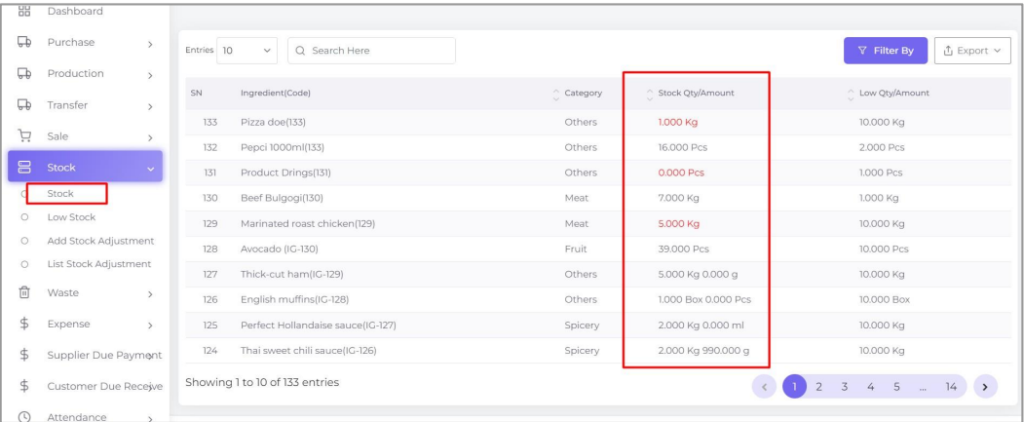
You may search your ingredients in the Filter By button.
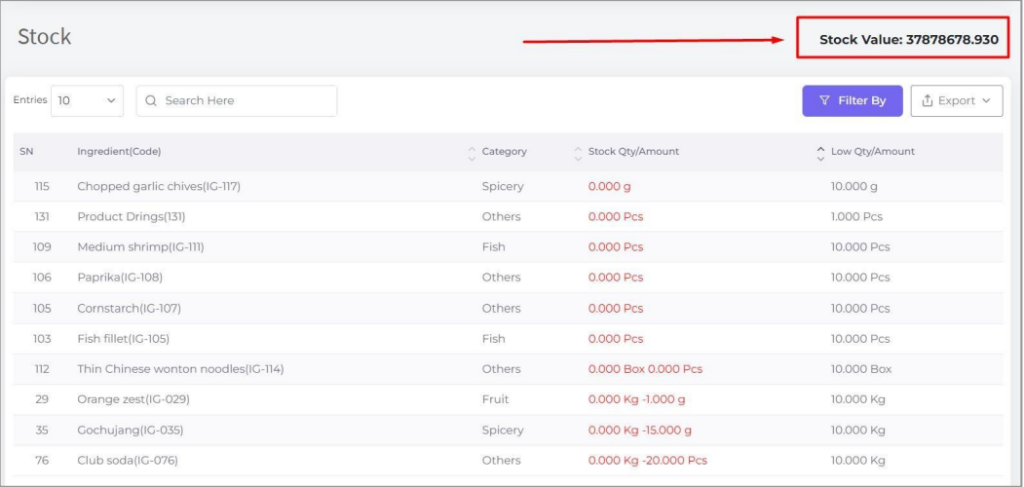
The stock value is the sum of Total of all ingredients. Where the Total is calculated by multiplying the stock quantity and unit price.
And here is the formula for calculating unit price:
If the ingredient is purchased before then the system will calculate the average of the last 3 purchases and that will be the Unit Price but if there are only 2 purchases there, the system will calculate the average of that two, or if there is only one purchase, the system will consider that purchase price as Unit Price. Remember that the system will always consider dividing the purchase price by the conversion rate if the ingredient’s purchase unit is different from the consumption unit.
And if there is no purchase record of the ingredient then the unit price will come from that ingredient’s profile’s cost field and will be considered as Unit Price.
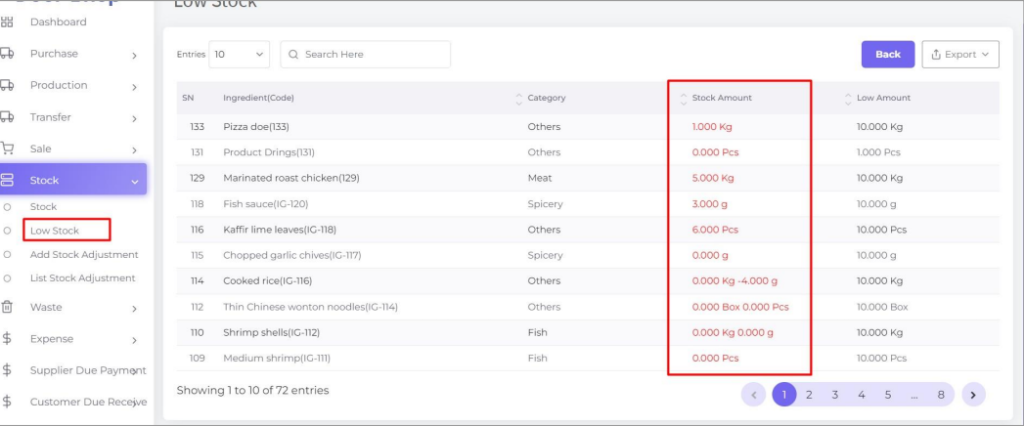
Low Stock
Using this module you can see how much ingredients you have in store under low stock and you need to purchase right now. This will mark it as red when the stock is under the low stock. We set the low stock quantity in the ingredient profile.
Check the low stock in the stock module.