Software Update
Home / Documentation /
Outlet
Item
POS
Kitchen Panel
Printer
Order Status Screen
Toppings
Promotion
Delivery Management
Combo Item
Item Variation
Product
Stock Transfer
Attendance
Manage Users with Access
Expense
Supplier Due Payment
Customer Due Receive
Report
- Register Report
- Z Report
- Product Analysis Report
- Daily Summary Report
- Food Sale Report
- Daily Sale Report
- Detailed Sale Report
- Consumption Report
- Stock Report
- Low Stock Report
- Profit Loss Report
- Attendance Report
- Supplier Ledger Report
- Customer Ledger Report
- Purchase Report
- Expense Report
- Waste Report
- Tax Report
- Food Menu Sale By Category Report
- Waiter Tips Report
- Audit Log Report
- Available Loyalty Point Report
- Usage Loyalty Point Report
- Transfer Report
- Production Report
Self Order/QR Code Order
Online Order
Reservation
Multiple Currency
Dashboard
SMS (Short Message Service)
Software Update
Export and reset daily sales
Reset Transactional Data
License Uninstall
Credits
In this feature, you will be able to check for any release of and you can update your software in case the software owner releases any update for this software.
Go to “Settings” from the left menu and then click “Software Update”.

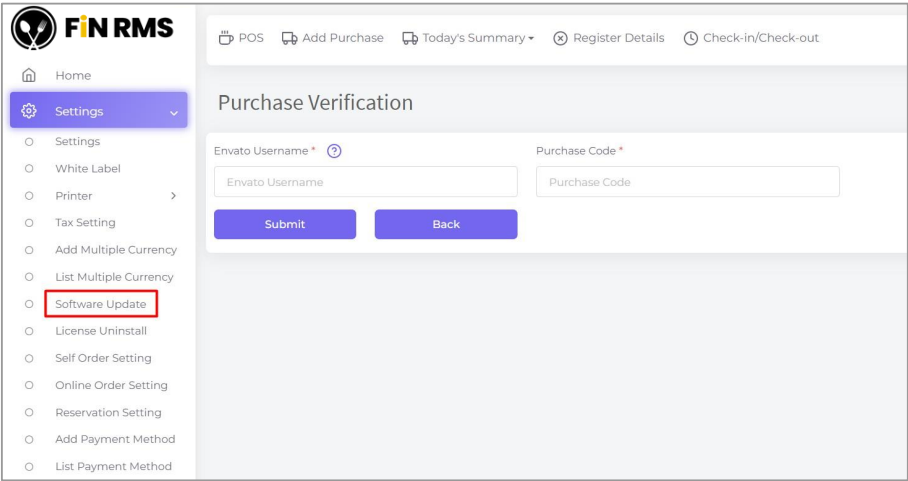
After verification is done then if you are in the latest version then the system will be shown like in the screenshot below.

If you are not in the latest version then the system will be shown like in the screenshot below.

Here you will get the changes log and UPDATE NOW button.
When you click to the UPDATE NOW then system will download all of changes files
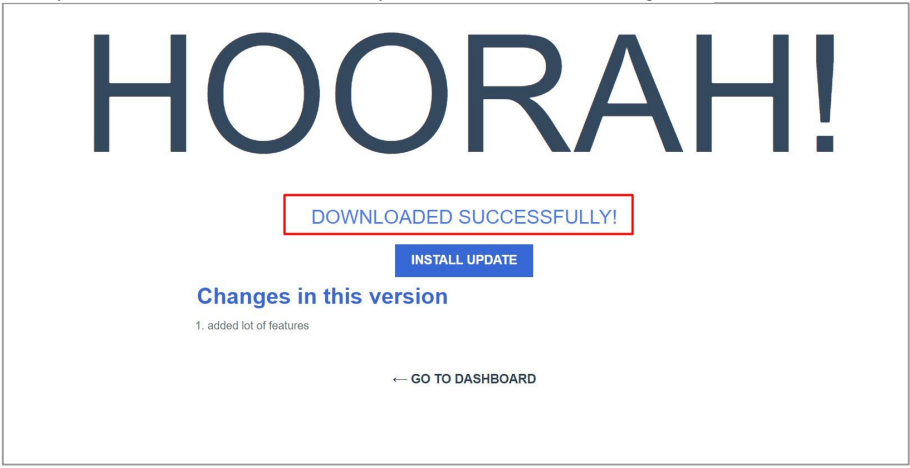
Let’s click on the INSTALL UPDATE. After install update then it will update automatically including database also.

Installed successfully now click on LOGIN NOW for redirection to the login page.
Note: You must clear your browser before starting the update version.